AstraBake
Animation Exporter For Metahumans
AstraBake bakes Metahuman Riglogic based Animation to bone animation that can then be used in DCCs like Blender.
Setup:
- In the Editor go to Edit > Plugins and search for “AstraBake” once located, enable and restart the editor.
- In the Editor go to the main “Tools” Menu and search for Astrabake to launch the UI
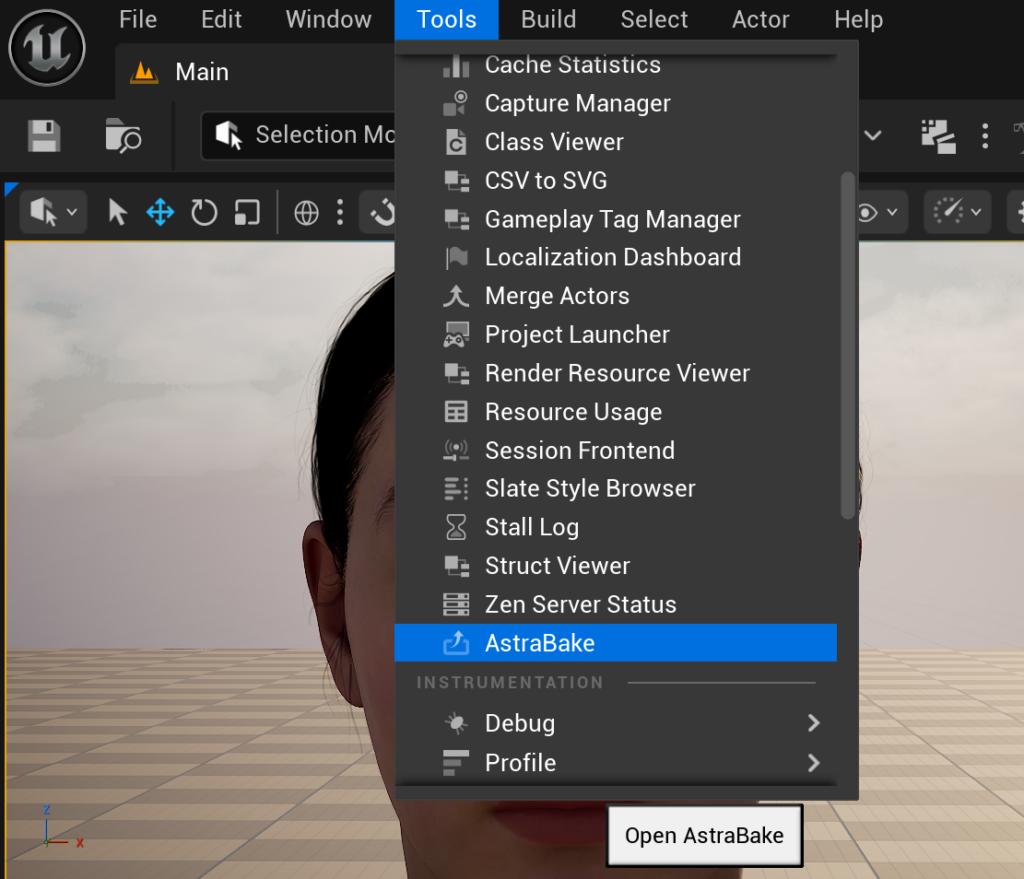
Usage:
Using AstraBake is simple:
- Select a Skeletal Mesh Asset
- Select an Animation Sequence Asset
- Select a Post Process Blueprint Override (Optional)
- Choose an Asset Directory
- Choose a Suffix to Append to Baked Asset name
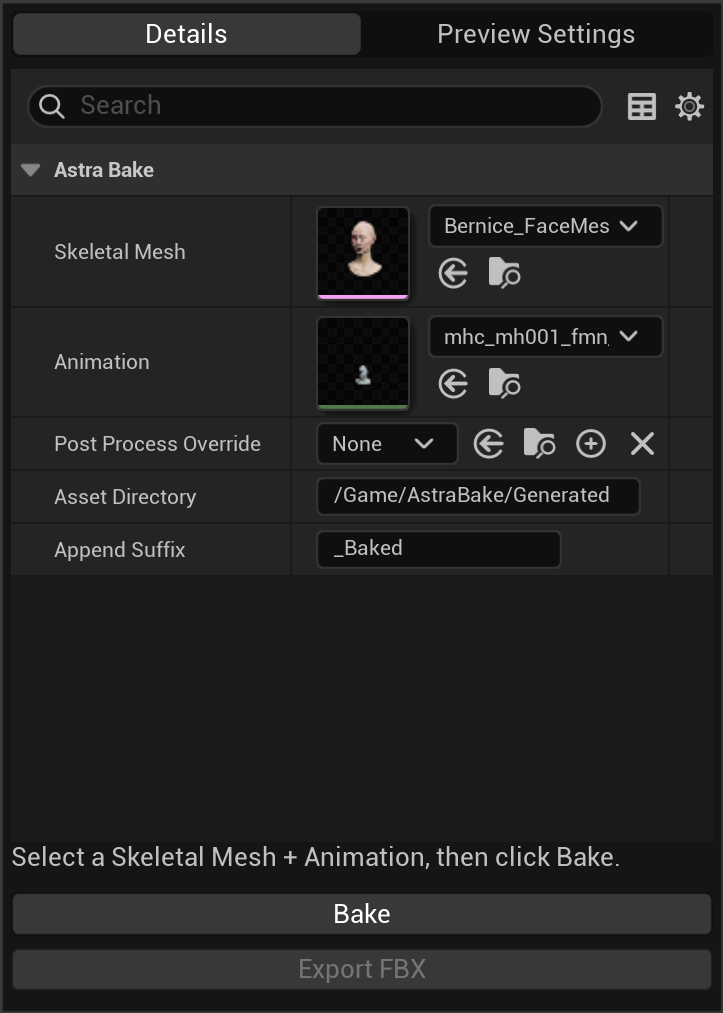
5. Click the Bake button to bake your animation to a new Animation sequence in your chosen folder.
6. Click Export FBX to export your Animation Sequence as an FBX file.
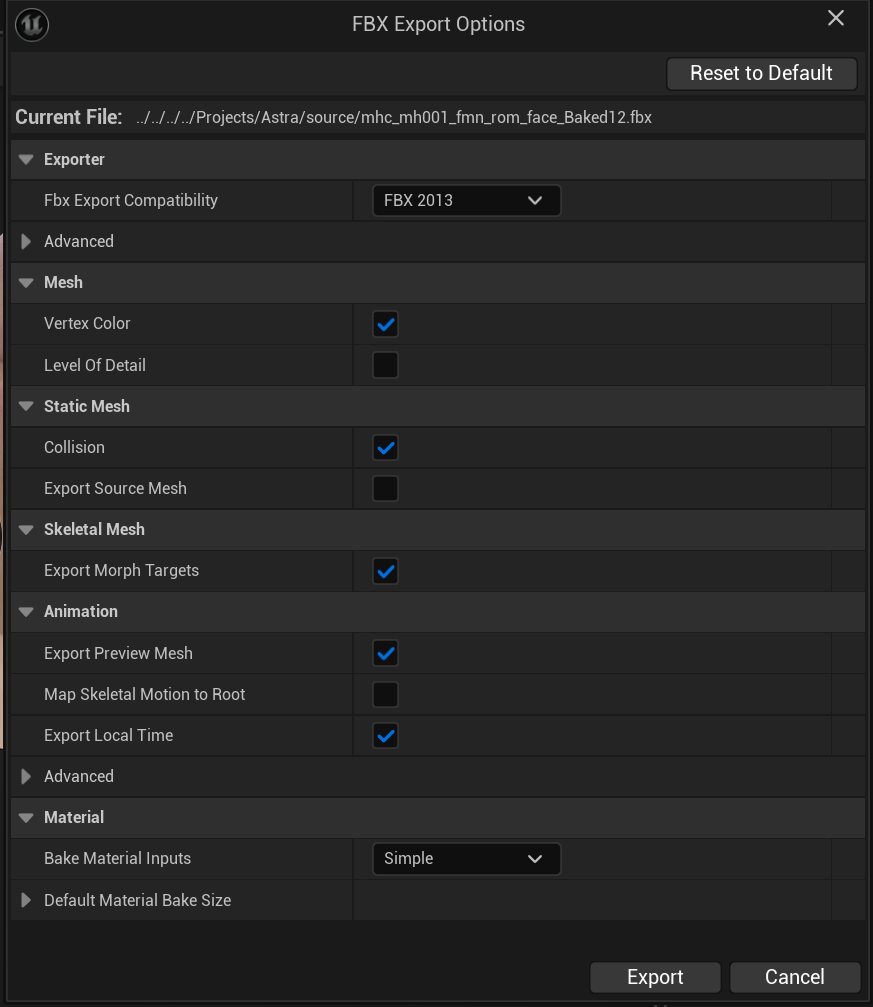
7. Click the Export button to complete the process.
Note: The Editor may freeze during Export, this is normal.
Export Options:
- Unless required, Uncheck Level Of Detail
- Check Export Preview Mesh to export a Mesh with your animation.
- Set Bake Material Inputs to Simple to export Materials and textures.
Using in Blender
Simply import your FBX file into Blender ensuring that Animation is checked in the import dialog.
You can hide the skeleton from the viewport to view only the animated mesh.